Who We Serve

Dermatology Practice Software

One record for the whole consultation — history and notes, skin charting, clinical photographs, results and billing — for dermatology practices in South Africa and the region.

Book a Demo

Built for how a dermatology
consultation actually runs

HealthAccess is practice management software for dermatology practices — records and notes, skin charting, clinical photography, results and billing in one system.

Medical and aesthetic dermatology sit in the same record, so a patient has one history, one set of photographs and one account.

Records and history

Patient demographics, medical history, allergies and medication, with consultation notes written against each visit.

Clinical documentation

Visual charting, procedure and treatment records, and clinical photographs — all filed against the same patient.

Front desk and accounts

Scheduling, reminders, invoicing and payments, so reception and the clinical team work from one record.

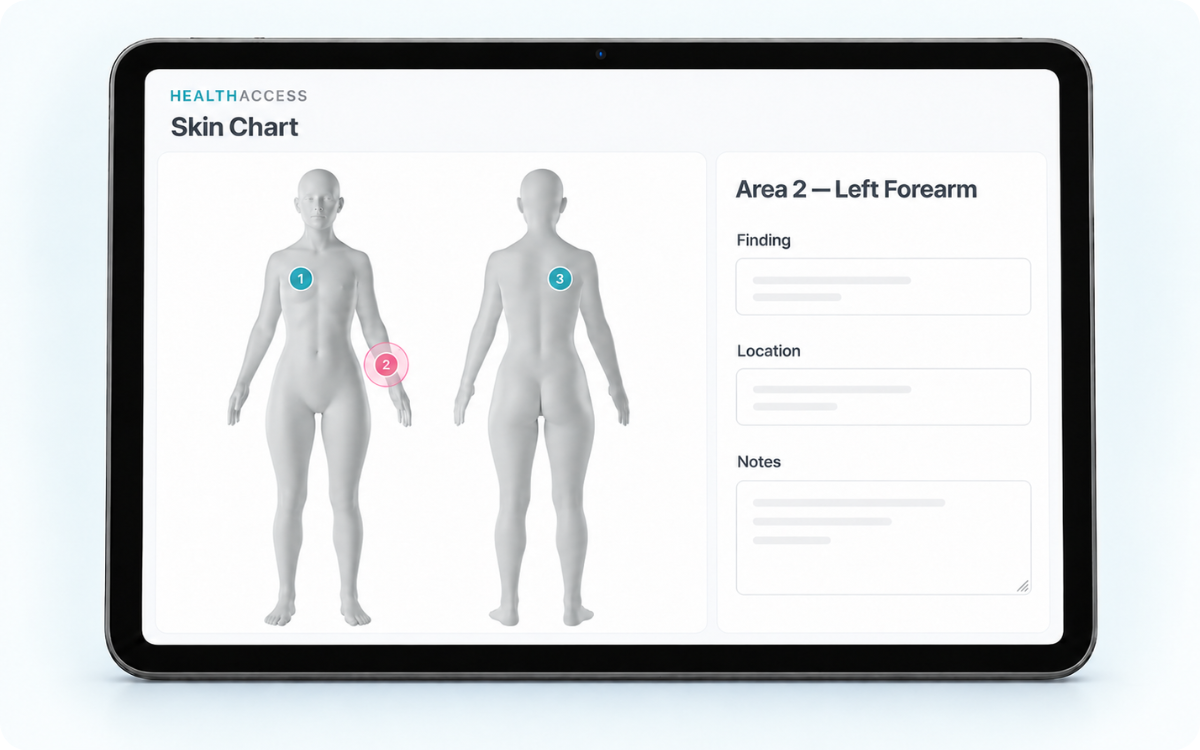
Visual skin charting and treatment documentation

Mark areas of concern — a mole, a lesion, a patch under review — on a visual chart during assessment, and document what was treated and how.

  • Mark and annotate areas of concern during the assessment
  • Record treatment areas, settings and notes for procedures performed
  • Laser treatment records where relevant, including device settings and pulses
  • Charting stays attached to the visit, so the history reads in order

Clinical photographs,
linked to the patient record

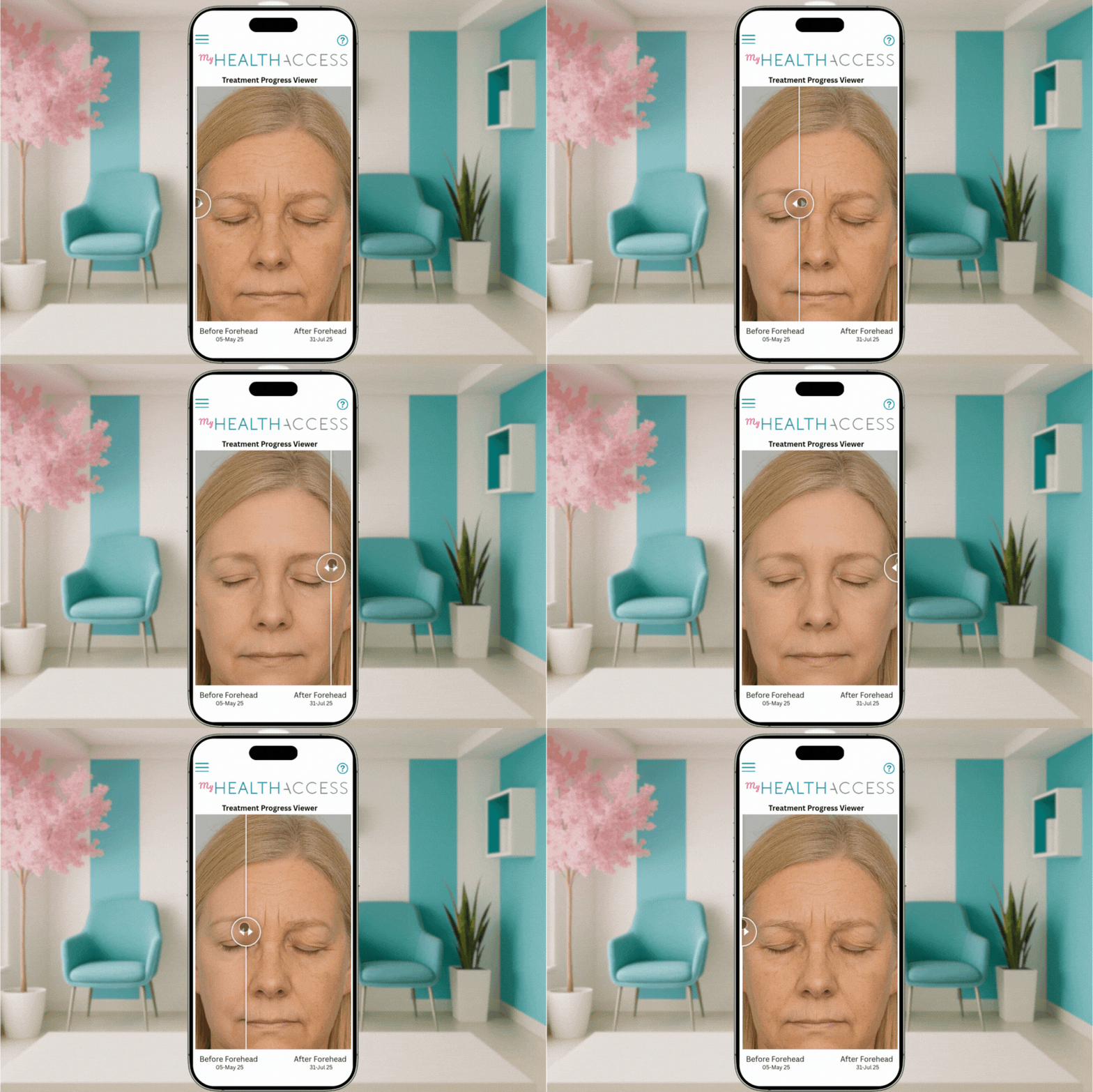
Capture photographs in HealthAccess or upload them from a device. They file against the patient, organised by date and treatment area, with labels you choose.

  • Photographs stay with the record rather than on staff phones
  • Organised by date and treatment area, with your own labels
  • Before-and-after comparisons for reviewing progress in consultation

Results and
patient follow-up

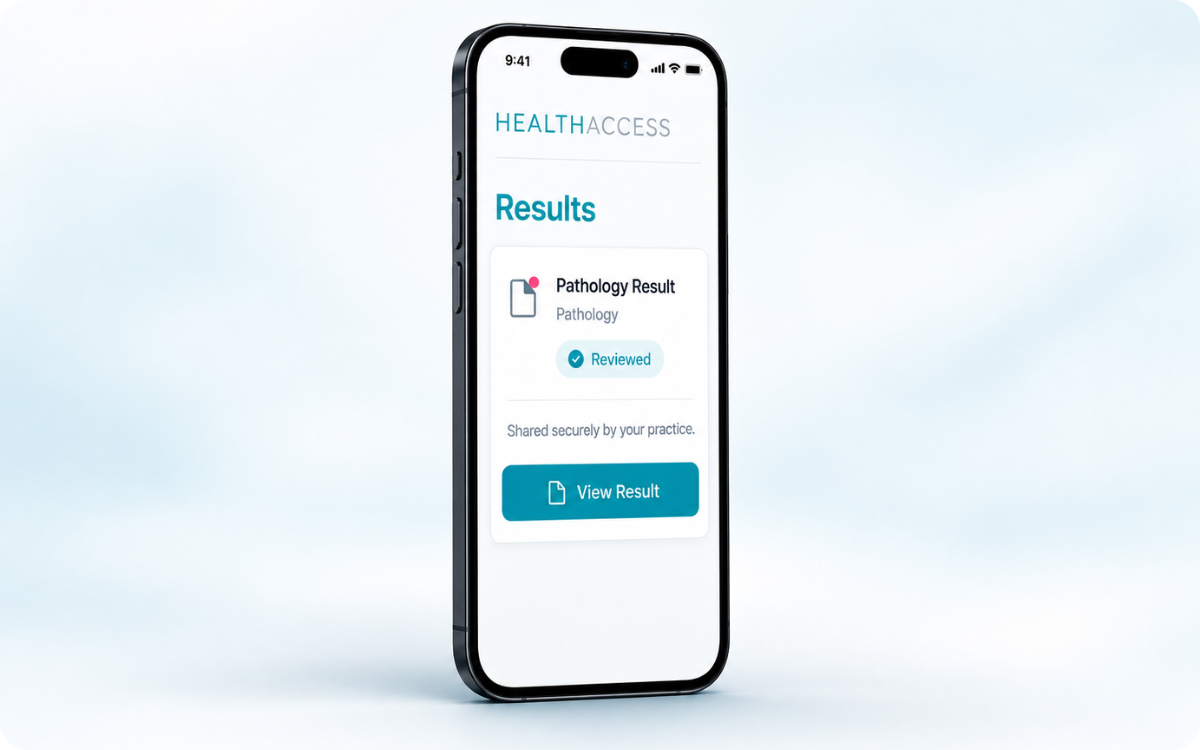
Upload pathology reports, blood results and imaging reports to the patient record, so they sit with the notes and photographs from the same episode of care.

When you choose to, share a selected result through the myHealthAccess Client Portal and write the feedback or context the patient should read alongside it. Sharing is a decision the practice makes result by result — nothing is shared automatically.

More on the myHealthAccess Client Portal.
Medical invoicing and billing

Billing Templates hold the consultations, procedures, services and products your practice bills most often, so an invoice is assembled from the record rather than typed from memory.

Billing Templates

Add commonly billed consultations, procedures, services and products to an invoice in a few clicks.

Codes where they apply

Relevant ICD-10 and procedure codes can be carried on the invoice for the consultations and procedures that require them.

One record, both teams

The clinical team documents the visit and reception invoices from the same patient record.

More on billing and inventory ›

Everything else your practice runs on

The same record carries the day-to-day work around the consultation.

Questionnaires and consent

Digital intake questionnaires and consent forms, completed and signed before the visit.

Digital consents & forms ›

Scheduling and reminders

Appointments, reminders and confirmations, with the diary and the record in one place.

Scheduling & reminders ›

The patient's own view

Appointments, forms, care instructions and shared documents, depending on what your practice uses.

myHealthAccess ›

Questions from dermatology practices

What is HealthAccess for a dermatology practice?

Practice management software that holds the patient record, consultation notes, visual skin charting, clinical photographs, questionnaires and consent, uploaded results, scheduling and invoicing in one system, for both medical and aesthetic dermatology.

Can clinicians mark areas of concern during an assessment?

Yes. Areas of concern such as moles or lesions can be marked and annotated on a visual chart during assessment and when documenting treatment. The chart is a record of what was observed and treated at that visit.

How are clinical photographs handled?

Photographs are captured in HealthAccess or uploaded from a device, filed against the patient record and organised by date and treatment area with your own labels. Before-and-after comparisons can be built from them.

How do results reach the patient record?

The practice uploads documents such as pathology reports, blood-test results and imaging reports to the patient record, where they sit with the notes and photographs from the same visit. Selected results can then be shared securely with the patient through the myHealthAccess Client Portal, with your written feedback alongside — uploading a result does not share it, and sharing is a separate decision made result by result.

Does it suit both medical and aesthetic dermatology?

Yes. Both sit in the same patient record, so a patient seen for a medical consultation and later for an aesthetic procedure has one history, one photograph set and one account.

Where is HealthAccess used?

HealthAccess is a South African company and the system is built around how practices here work, including local payment gateways and invoicing conventions. It is also used by practices elsewhere in the region.

See it with a dermatology record open

We will walk through a consultation end to end — notes, charting, photographs, results and the invoice — and answer whatever your team needs to know.

Book a Demo