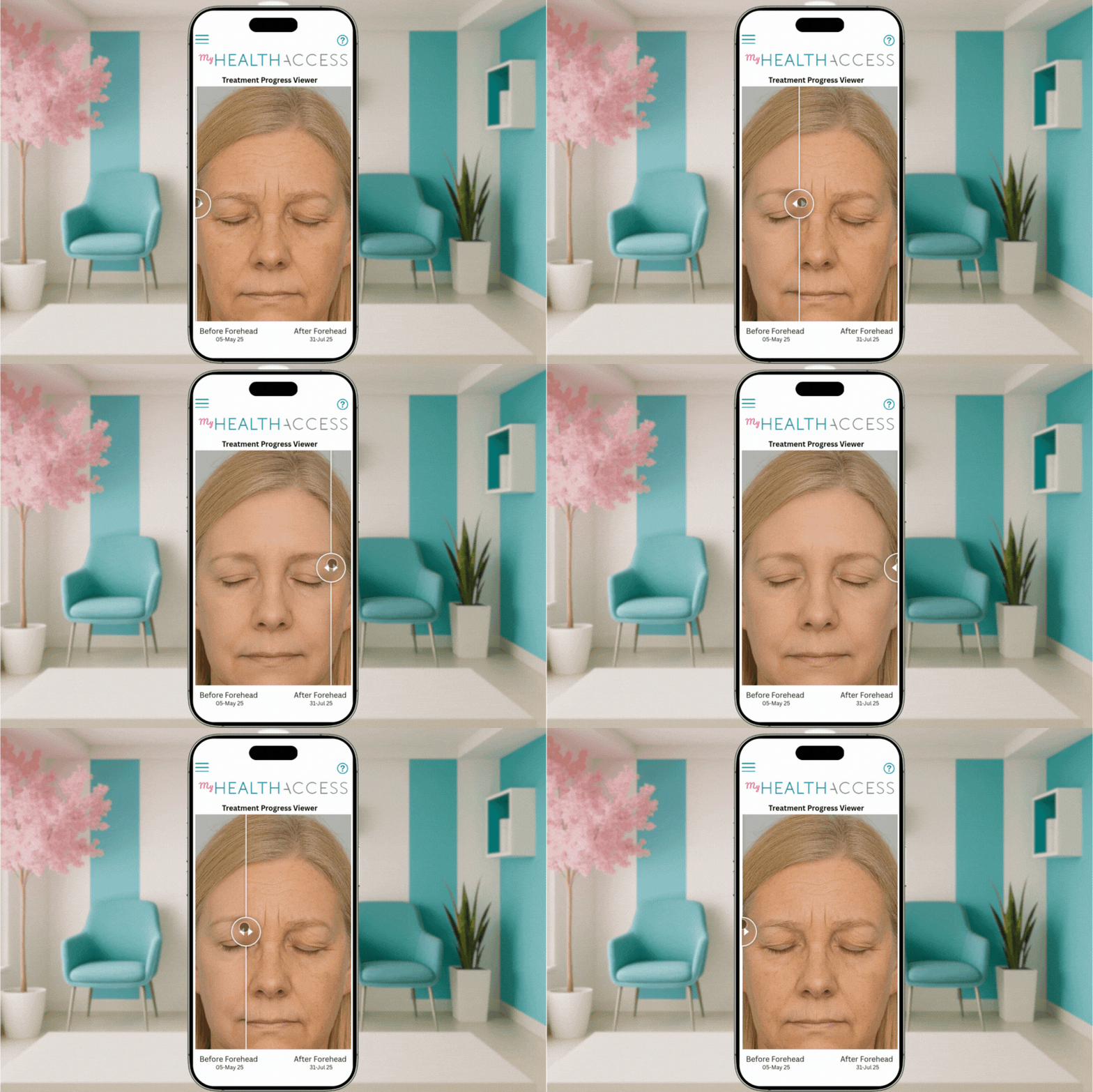
Clinical Photos

Clinical photo management
and before-and-after
comparisons for your practice

Capture treatment photos in HealthAccess or upload them from a device, keep them organised in the client's record, and show progress with clear before-and-after comparisons.

Book a Demo

Photos that stay with the client record

Clinical photo management in HealthAccess lets a practice capture, organise, compare and share client treatment photos from within the client's record.

Treatment photos belong in the record, not scattered across staff phones. HealthAccess gives your team one place to put them and one place to find them again.

Capture or upload

Staff can take photos directly in HealthAccess, or upload images taken on a device.

Organised as you go

Photos are filed by date and treatment area, so a client's history reads in order.

Labelled for retrieval

Add labels so the right image is easy to find months later, not just the day it was taken.

Compare progress,
side by side

Line up photos from different dates and build a before-and-after comparison you can open in the consultation room.

  • Compare images from different visits or treatment stages
  • Keep comparisons with the rest of the client's record
  • Show change over weeks or months, in the client's own photos
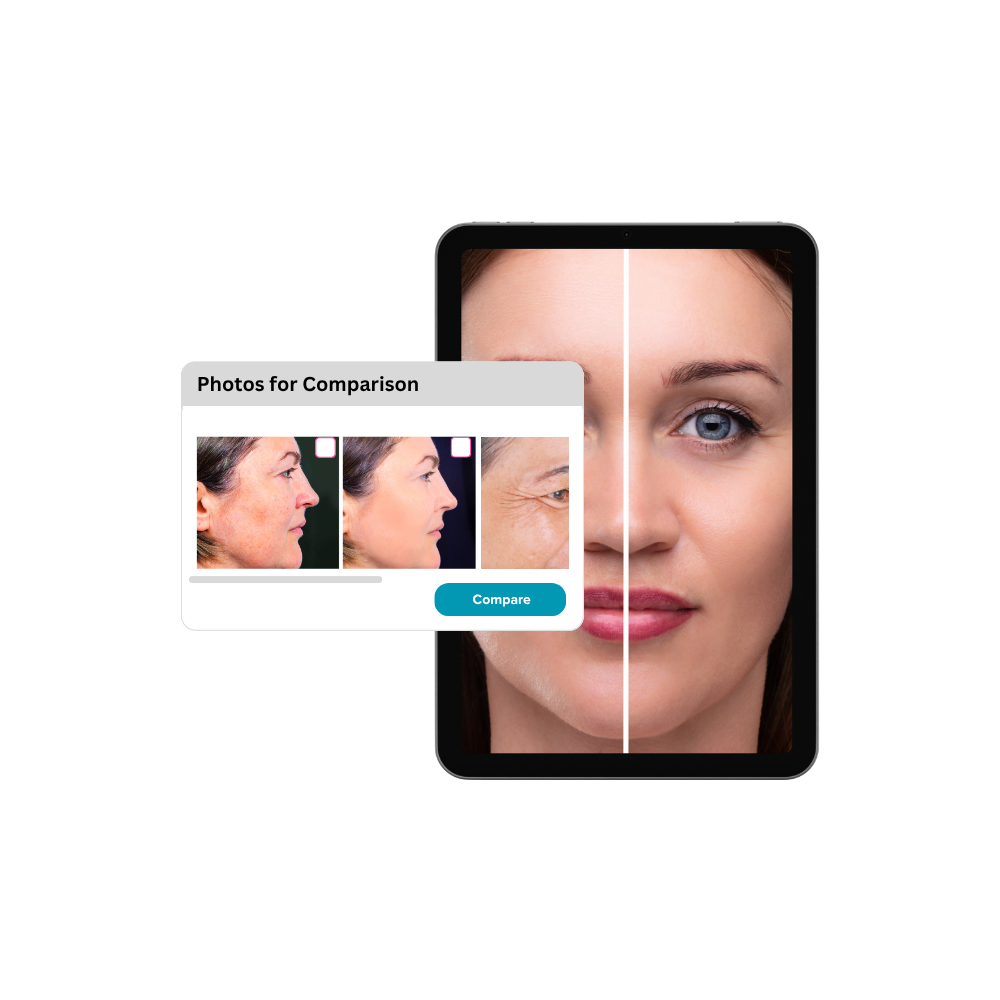
Photo comparison feature

Built for practices
where results are visual

HealthAccess is built for practices in South Africa where results are visual — from dermatology, plastic surgery and aesthetic medicine to skin and laser clinics, dental and hair-restoration providers.

Questions about clinical photos

Can staff take photos directly in HealthAccess?

Yes. Photos can be captured in HealthAccess, or uploaded from a device if they were taken elsewhere. Either way they are filed with the client's record rather than left sitting in a camera roll.

How are photos organised?

By date and treatment area, with labels you add. That is what makes a photo from eight months ago findable when you need it in a consultation.

Can we share a single photo, or only comparisons?

Either. You can share a before-and-after comparison, or select one or more individual photos on their own.

Can we explain what the client is looking at?

Yes. Notes or comments can accompany the photos you share, so the images arrive with your explanation rather than on their own.

How do clients see the photos we share?

Through a secure link that opens the myHealthAccess Client Portal, where the shared photos sit with the rest of their journey with your practice.

Where are the photos kept?

With the client's record in your HealthAccess environment. Our Trust Centre and Support & Security policy set out how HealthAccess handles practice and client data.

See it with your own
practice in mind

We will show you how photos are captured, organised, compared and shared, and answer whatever your team needs to know.

Book a Demo