
 HANA AI
Integrations
OBSERV 520x Integration with Practice Management Software
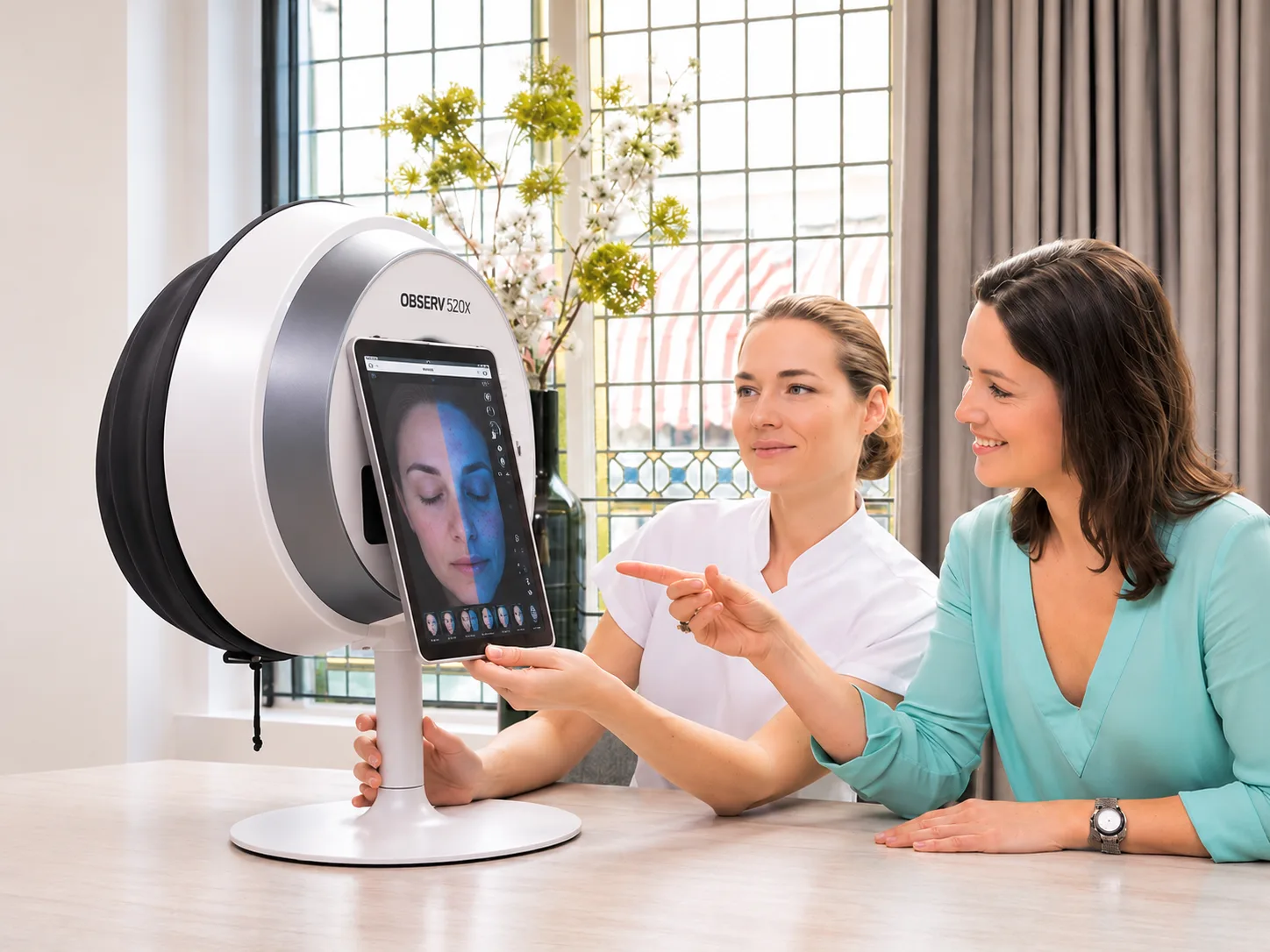
OBSERV 520x by Sylton helps practitioners analyse the skin using multiple light modes and five facial positions. HealthAccess links each OBSERV session to the right patient or client and visit, alongside the rest of the practice.
Skin analysis that stays with the client record
HealthAccess is cloud-based practice management software for medical, aesthetic and skin practices. OBSERV 520x is a skin analysis system by Sylton. The integration links each OBSERV client and imaging session to the right patient or client and visit in HealthAccess, so nobody has to search a separate app to find which session belongs to which visit.
Match the client once
Link a HealthAccess patient or client to their OBSERV record, or create the OBSERV client from HealthAccess. Possible matches are shown first, which helps prevent duplicate client records.
Attach the session to the visit
From the visit, choose the client's recent OBSERV session and link it. The visit shows that a skin analysis is attached.
Review it from the visit
View the available OBSERV session information and images from the linked visit, such as concerns, highlights, recommended treatments, products and daily routine, or open the full session in OBSERV.
Skin analysis software in HealthAccess › · All HealthAccess integrations ›
Skin analysis and practice management, working together
OBSERV captures the skin imaging that practitioners use to analyse the skin. HealthAccess is the practice management layer around it: appointments, records, consents, charting, plans, quotes, payments, products, stock and follow-up.
What HealthAccess does
HealthAccess is a practice management platform.
- Appointments, online booking and deposits
- Patient and client records, consents and clinical charting
- Treatment plans, quotes, invoices and payments
- Stock, products and the myHealthAccess client portal
- AI-assisted clinical and admin work
What OBSERV 520x does
OBSERV 520x is a skin analysis system by Sylton.
- Consistent facial imaging under multiple light modes
- Reveals pigmentation, redness, texture and volume
- Records skin concerns and treatment recommendations
- Product recommendations and daily skincare routines
- With Aesthetic Analysis: facial expressions, harmony and symmetry for injectable planning
How the integration works
From the skin analysis in OBSERV to the treatment plan, deposit and booking in HealthAccess, one connected consultation workflow for your clinic.
- In OBSERV
Analyse
Capture the skin analysis session.
- In HealthAccess
Link
Link the session to the client and visit.
- Coming soonFrom OBSERV
Recommend
Recommendations map to your treatments and products.
- In HealthAccess
Plan & quote
Create a treatment plan and quote.
- In HealthAccess
Approve & pay
The client approves the plan and pays a deposit via a link.
- In HealthAccess
Book & sell
Book approved treatments. Product sales update stock.
Choosing a skin analysis machine for your practice
Look for multiple light modes, repeatable facial positions and client-friendly visuals, plus a connection to your practice software so results stay with the client record.
OBSERV 520x light modes
Five facial positions
Built for practices that consult on skin
Medical aesthetics
Plan injectables, lasers and skin treatments from a documented analysis.
Aesthetic clinic software ›Skin clinics
Track pigmentation, redness and texture across a course of treatment.
Skin clinic software ›Dermatology
Keep imaging sessions with the consultation and clinical notes.
Dermatology software ›Plastic & cosmetic surgery
Document skin quality before and after procedures.
Plastic surgery software ›Frequently asked questions
Can OBSERV 520x integrate with practice management software?
Yes. HealthAccess connects with the OBSERV 520x skin analysis system by Sylton. Each patient or client in HealthAccess can be linked to their OBSERV client record, and each OBSERV session can be linked to the visit it belongs to.
Can I link OBSERV sessions to patient records?
Yes. From a visit in HealthAccess, your team chooses the client's recent OBSERV session and links it. One session is linked per visit. The available session information and images can be viewed from the linked visit, and the full session opened in OBSERV.
Does HealthAccess analyse the skin?
No. The practitioner analyses the skin using OBSERV 520x, which captures images in different light modes and facial positions to reveal what the eye can't see. The OBSERV session then links to the right person and visit in HealthAccess, alongside bookings, consents, clinical notes, billing and stock.
Does HealthAccess replace OBSERV?
No. You keep using OBSERV to capture and review skin images during the consultation. HealthAccess runs the rest of the practice and keeps each OBSERV session connected to the patient or client record.
Do I need an OBSERV 520x device?
Yes. The integration is for practices that use, or plan to use, the OBSERV 520x and have an OBSERV account. OBSERV 520x is used with the Observ 520x app on an Apple iPad; check iPad compatibility with Sylton or your distributor. HealthAccess itself works in a web browser.
Can I create treatment plans from OBSERV recommendations?
Not yet. HealthAccess already supports treatment plans and quotes, and practices create them as usual with the OBSERV session linked to the visit for reference. Creating them directly from OBSERV recommendations is coming soon.
What is available now, and what is coming soon?
Available now: linking patients or clients to OBSERV clients, creating an OBSERV client from HealthAccess with possible-match checks, linking a session to a visit and viewing the available session information and images from that visit. HealthAccess already supports treatment plans, quotes, deposits, bookings and product sales. Coming soon: appointment and check-in workflows, mapping OBSERV treatments and products to HealthAccess, and carrying OBSERV recommendations into those existing plan, quote, approval, deposit, booking, sales and follow-up workflows.
Will linking create duplicate client records?
HealthAccess shows possible matches in OBSERV before a new client is created, which helps prevent duplicate client records.
How is the integration set up?
A practice administrator connects the practice's OBSERV account in HealthAccess setup. Our team helps with this during onboarding and shows staff how to link clients and sessions.
Is HealthAccess available internationally?
HealthAccess is cloud-based and runs in a web browser. Contact us to confirm availability, onboarding and support for your country.
Where can I buy or demo an OBSERV 520x?
HealthAccess does not sell OBSERV devices. Visit Sylton to learn about OBSERV 520x and find a distributor in your country. In South Africa, OBSERV is distributed by DoPro Healthcare Solutions.
Which skin analysis systems does HealthAccess integrate with?
HealthAccess currently integrates with the OBSERV 520x by Sylton. Practices using other imaging systems can still store and compare clinical photos in HealthAccess. See Photo Comparisons.
Who do I contact for support?
HealthAccess for the practice software and the link between HealthAccess and OBSERV. Sylton or its authorised distributor in your country for the OBSERV device, app, imaging and account (in South Africa, DoPro Healthcare Solutions).
OBSERV and OBSERV 520x are products of Sylton. OBSERV devices, sales and device support are provided by Sylton and its authorised distributors, not HealthAccess.
See OBSERV and HealthAccess working together
We'll show you how OBSERV sessions link to patient or client records and visits, and how HealthAccess runs the rest of the practice.